Pronunciation Control for AI Voiceover
Pronunciation Control lets users fix how Smartcat's AI voices say brand names, product names, and industry terms without editing the…
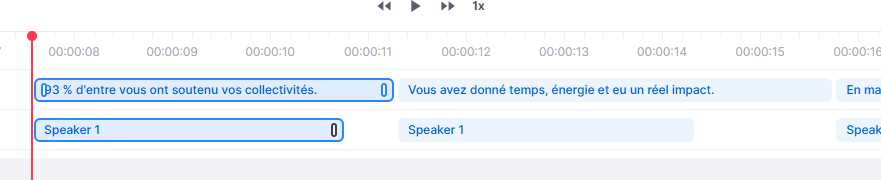
The Subtitle Editor's timeline now shows the actual duration of each generated AI voiceover cue, not just the subtitle's boundaries, so teams can see exactly where spoken audio starts and ends relative to the original subtitle timing. When generated speech doesn't fit the available time, Smartcat automatically adjusts speaking speed within a 0.7x to 1.2x range and regenerates the cue, instead of leaving teams to guess why a dub sounds rushed or slow.
A cue with an unresolved overlap shows a warning and can still be confirmed, but a cue whose speech exceeds the project's maximum CPS is a critical error and cannot be confirmed until it's resolved — by shortening the translation, adjusting voice speed, resizing the cue, or choosing a different voice. If a critical overlap isn't resolved before export, Smartcat plays the audio sequentially instead of cutting it or overlapping voices, which can shift the timing of the cues that follow.
To learn more in our Video Translation and Multilingual AI Dubbing help center article.